> ## Documentation Index
> Fetch the complete documentation index at: https://private-7c7dfe99-vortex-format.mintlify.site/llms.txt
> Use this file to discover all available pages before exploring further.

# 接続情報を確認する

> 接続情報を確認する

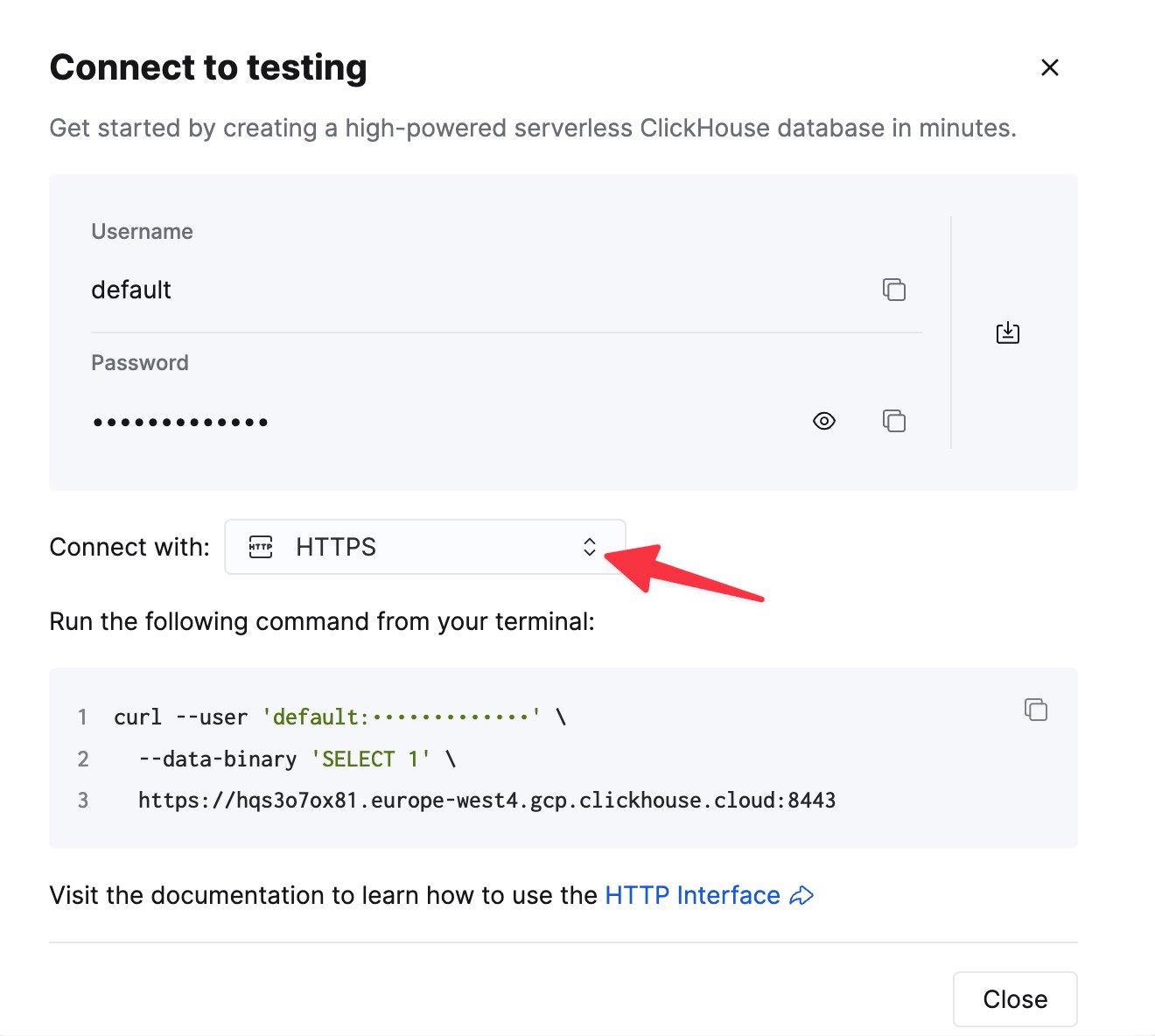
HTTP(S) で ClickHouse に接続するには、次の情報が必要です。

| Parameter(s)              | Description                                               |
| ------------------------- | --------------------------------------------------------- |
| `HOST` and `PORT`         | 通常、TLS を使用する場合のポートは 8443、TLS を使用しない場合は 8123 です。           |
| `DATABASE NAME`           | デフォルトでは `default` という名前のデータベースがあります。接続先のデータベース名を使用してください。 |
| `USERNAME` and `PASSWORD` | デフォルトのユーザー名は `default` です。用途に応じたユーザー名を使用してください。           |

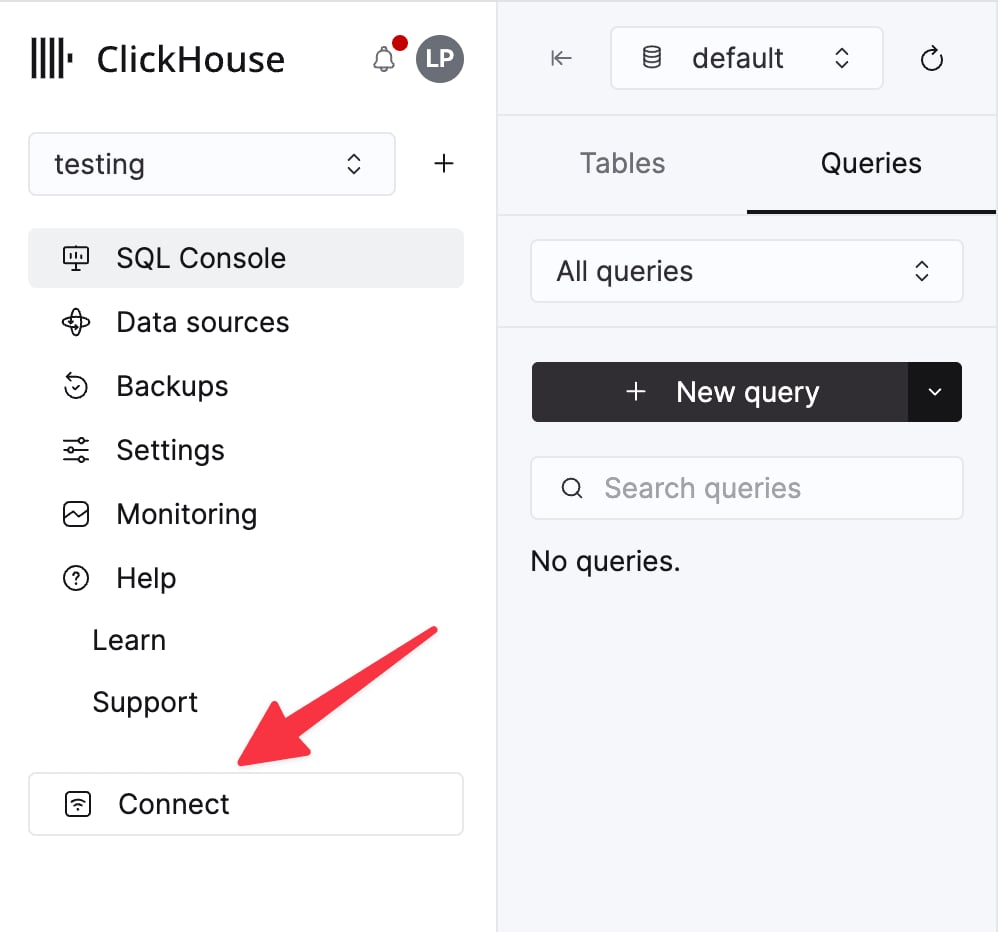
ClickHouse Cloud サービスの詳細は、ClickHouse Cloud コンソールで確認できます。
サービスを選択し、**Connect** をクリックします。

<div className="ch-image-md">
  <Frame>
    <img src="https://mintcdn.com/private-7c7dfe99-vortex-format/tee0vtC1xMN3cEIV/images/_snippets/cloud-connect-button.webp?fit=max&auto=format&n=tee0vtC1xMN3cEIV&q=85&s=334245222c7a16f54a807110b260b71e" alt="ClickHouse Cloud サービスの接続ボタン" width="998" height="932" data-path="images/_snippets/cloud-connect-button.webp" />
  </Frame>
</div>

**HTTPS** を選択します。接続情報は `curl` コマンドの例として表示されます。

<div className="ch-image-md">
  <Frame>
    <img src="https://mintcdn.com/private-7c7dfe99-vortex-format/tee0vtC1xMN3cEIV/images/_snippets/connection-details-https.webp?fit=max&auto=format&n=tee0vtC1xMN3cEIV&q=85&s=0ca54b2dc236ae2cd68a6e889b46dd0b" alt="ClickHouse Cloud HTTPS 接続情報" width="1320" height="1184" data-path="images/_snippets/connection-details-https.webp" />
  </Frame>
</div>

セルフマネージド ClickHouse を使用している場合、接続情報は ClickHouse 管理者によって設定されます。